
Photo Video Maker With Music
Eco Mobile EditorVideo Players & Editors
4.52.38K Reviews
- Version
- 2.6.0
- Installs
- 50.00M
- Age Rating
- Everyone
Screenshots
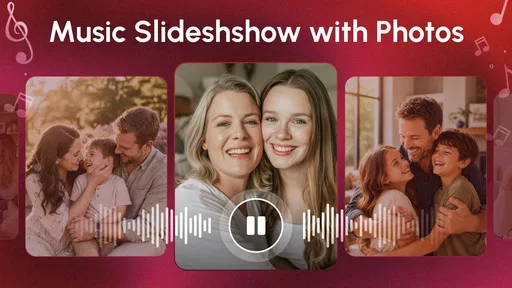
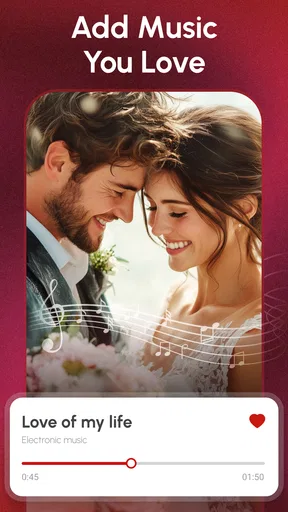
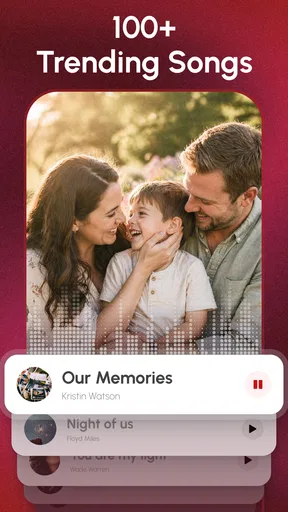
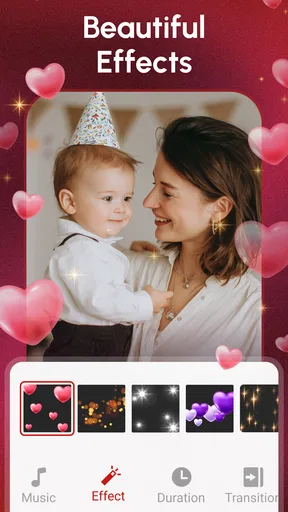
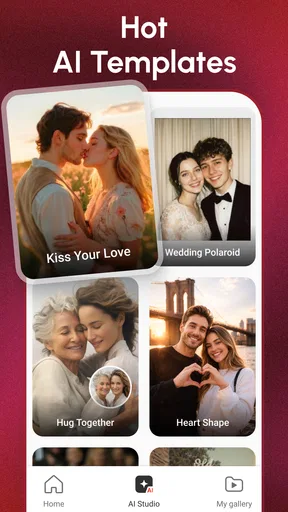


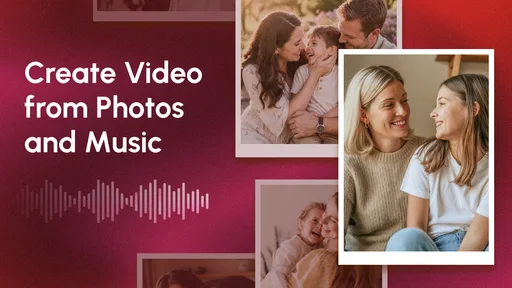
Our Review of Photo Video Maker With Music
 Analysis by Appyee
Ever found yourself scrolling through your camera roll, wishing you could turn those static memories into a captivating video montage? Enter Photo Video Maker With Music, your new best friend for creating stunning videos in just a few taps. I recently took a deep dive into this app, and let me tell you, it’s a game-changer for both casual users and budding content creators.
The appeal here is focused: arranging photos with music into a video without having to learn a full editing suite. I see that as the app’s most useful role. A photo sequence has a beginning, middle, and end once you choose its order and give it a soundtrack. That makes it more engaging to share than a loose batch of pictures, while keeping the work manageable for someone who simply wants to preserve a moment.
Turning a camera roll into a short story
When I make this kind of montage, I start by choosing pictures that belong together rather than selecting every image from an event. A handful of clear, varied shots usually tells a stronger story than a long run of near-identical frames. I’d put an establishing photo first, keep the most expressive moment near the middle, and finish with an image that feels like a natural ending. That simple editing decision can matter more than adding lots of effects.
Music changes how the same set of pictures feels, so I treat it as part of the sequence rather than decoration added at the last second. A lively track can make a family outing feel playful; a quieter choice may suit a collection of older photographs. I’d preview the result with the sound on and ask whether the track supports the mood instead of competing with it. If the song feels too busy for the images, changing the soundtrack may improve the video more than adding another transition.
This is also a practical way to make a small keepsake for people who are not likely to sit through a long edit. For example, after a weekend gathering, I could pick a few photos that include the group, a detail from the meal, and a final shot from the walk home. The result has enough variety to feel personal without requiring a separate project for every camera-roll image.
Getting Started with Ease
Let’s kick things off with the user interface. The moment you open Photo Video Maker With Music, you’re greeted with a clean and intuitive layout. No confusing menus or overwhelming options here. Just simple navigation that even the least tech-savvy among us can appreciate. I found myself breezing through the setup without a hitch.
Once you’re in, you can easily select photos directly from your gallery. The app supports a wide range of formats, so no need to worry about compatibility issues. Simply select your favorite shots, and you’re halfway to crafting a masterpiece.
For a smoother first project, I’d make a temporary selection before opening the editor: gather the pictures around one occasion, then remove duplicates and screenshots that interrupt the story. This small bit of preparation makes it easier to judge the order once the images are together. It also keeps the task focused; the goal is not to represent every minute, but to give the viewer a clear sense of the occasion.
Features That Make It Shine
Now, onto the fun part—the features. The app provides a vast array of editing tools, from filters and transitions to text overlays. You can adjust the duration of each photo, ensuring your video flows just the way you envision. One feature I particularly loved was the ability to preview changes in real-time. It’s a subtle but powerful addition that helps you perfect your video on the fly.
Previewing is especially helpful when a sequence feels rushed or lingers too long on one picture. I’d watch the whole montage once before making small adjustments, because judging each frame in isolation can make the pacing feel less coherent. If a caption is important, keeping it short and placing it on a picture with uncluttered space makes it easier to read. The useful trade-off is restraint: a few deliberate changes can make the memories clearer, while stacking every available treatment can distract from the photographs themselves.
The music library is another highlight. With a wide selection of tracks to choose from, you can find the perfect tune to set the mood. Whether it’s a romantic ballad for your anniversary slideshow or an upbeat jam for vacation memories, the app’s got you covered. Plus, you can even upload your own tracks if you’ve got something specific in mind.
Using a personal track can make a montage feel less generic, but it also means thinking about where the video will be watched. A soundtrack that is meaningful to the people receiving it may not suit a public social post, and music can be distracting when viewers are watching somewhere quiet. I’d make the choice based on the audience and purpose, then check that the pictures still make sense as a sequence even without the sound.
Seamless Sharing and Saving Options
Once your video is ready, sharing it with the world is a breeze. The app offers direct sharing options to all major social media platforms, which is a huge time-saver. You can also save your creation in high definition, ensuring your memories look crisp and clear no matter where they’re viewed.
Before sharing, I’d watch the saved video from beginning to end rather than relying only on the editing preview. That final check is a good moment to catch a photo that appears out of place, a transition that feels abrupt, or a title that is hard to read. For a private family keepsake, the priorities may be different from those for a short public post: familiar faces and a warm ending may matter more than a fast pace.
What really stood out to me was the app’s ability to maintain quality. Often, apps compress videos to the point where they lose their charm. But here, the integrity of your photos and music remains intact, making your videos as vivid as the memories they capture.
One sensible habit is to keep the original photos in your camera roll until you have checked the finished video and are happy with it. A montage is a convenient way to present pictures, not a substitute for keeping the source images. If you plan to send the video to someone, consider whether a shorter selection will be easier for them to watch and share than a long collection of every shot.
Where it fits among editing apps
Compared with a general-purpose video editor, this app’s photo-and-music focus is appealing when I want a simple slideshow rather than a timeline-heavy production. A broader editor is a better fit if I need precise control over several video clips, detailed sound mixing, or a more involved sequence. On the other hand, building a presentation manually in a design tool can be slower when the main ingredients are already photos and a soundtrack. I’d choose this app for a quick personal montage, not as my only editing tool for every kind of video.
That distinction is worth keeping in mind before starting. If the project depends on exact timing across many moving clips, a dedicated editor gives more room to work. If I am making a birthday recap, a small travel memory, or a simple visual greeting, the straightforward photo-led approach is more proportionate. The best choice depends less on which app has the longest feature list and more on whether the job is a montage or a full video edit.
Why You’ll Love It
So, why should you give Photo Video Maker With Music a shot? It's not just about transforming photos into videos; it’s about crafting experiences. The app’s simplicity and powerful features make it a joy to use, whether you’re putting together a quick project or spending time perfecting the details.
It is free to download, though in-app purchases range from $1.99 to $65.60 per item, so I would check the purchase details before paying for anything. The app is rated for Everyone, and it comes from Eco Mobile Editor. Its average rating is 4.6 from around 222,000 ratings, with about 2,300 written reviews, and it has passed 50 million installs. Those figures suggest that this style of quick photo montage has broad appeal, but they do not mean every user will want the same level of editing control.
The current version is 2.5.75, and it requires Android 8.0 or later. It first appeared on October 30, 2018. That makes it relevant to Android users who want this particular workflow; iPhone owners should look for an iOS version in their app store rather than assume Android availability carries over. I’d also think about available storage before making a project, especially if I intend to keep several finished videos alongside the original photos.
For a routine use case, imagine making a quick recap after a child’s school performance or a friend’s birthday. I’d choose a few photos that show the setting, the people, and one memorable detail, then put them in an order that reads naturally. A fitting track and a brief title can make the clip feel complete, while a full set of effects would likely add work without improving the story. This is the sort of small, personal project where the app’s focused approach makes sense.
One thing’s for sure, this app has brought a new level of creativity to my fingertips. It’s perfect for anyone who loves to reminisce and share their stories in a dynamic, engaging way. So go ahead, download it, and start turning those static images into lively narratives.
I’d recommend it most to someone who values speed and an approachable path from selected pictures to a shareable montage. It is less suitable for a creator who expects detailed control over a complex edit, or for anyone who wants every advanced production decision gathered in one place. If you are unsure, try a small project first: a short sequence makes it easy to judge whether the controls and pacing tools match how you like to work.
In conclusion, Photo Video Maker With Music is more than just an app; it’s a tool that brings your memories to life. Whether you’re a seasoned creator or just someone who wants to relive special moments, this app offers something special. Give it a try, and you might just find yourself hooked on making magic with your photos.
Privacy and Permissions
See what permissions an app requests and how it handles your data.
- Photos/Media/Files
- read the contents of your USB storage, modify or delete the contents of your USB storage
- Storage
- read the contents of your USB storage, modify or delete the contents of your USB storage
- Wi-Fi connection information
- view Wi-Fi connections
- Other
- view network connections, full network access, control vibration, prevent device from sleeping, Google Play license check
Verdict
Strengths of Photo Video Maker With Music
- User-friendly interface for easy navigation.
- Wide range of music options available.
- Seamless video export in multiple formats.
- Quick editing tools for fast results.
- Supports high-resolution video output.
Limitations of Photo Video Maker With Music
- Limited free music tracks available.
- Occasional crashes during video export.
- Ads can be intrusive during editing.
- Some features require in-app purchases.
- Limited customization for text overlays.
Other Releases by Eco Mobile Editor
View All
Screen Recorder - G1REC
Video Players & Editors4.7

Crop, Trim Video Editor
Video Players & Editors4.6

Compress, Reduce Video Size
Video Players & Editors4.2
Similar Picks in This Category
View All
Google TV
Google LLC3.9

iTunes
Apple4.7

YouTube
Google LLC3.8

MX Player
Amazon Mobile LLC4.2

CapCut - Video Editor
Bytedance Pte. Ltd.3.5

PLAYit-All in One Video Player
PLAYIT TECHNOLOGY PTE. LTD.4.5
Frequently Asked Questions
What features does Photo Video Maker With Music offer?
Photo Video Maker With Music provides a range of features to create stunning video presentations. Users can combine photos and videos, add music from their library or choose from a selection of built-in tracks, and apply various filters and effects. Additionally, the app offers customizable text overlays, transitions, and the ability to share directly to social media.
Is Photo Video Maker With Music free to use?
The app offers a free version with basic features, allowing users to create and edit videos without cost. However, to access advanced features such as premium filters, high-quality exports, and an ad-free experience, users can opt for in-app purchases or a subscription model, which enhances the overall functionality and user experience.
What are the system requirements for Photo Video Maker With Music?
Photo Video Maker With Music is compatible with most modern Android and iOS devices. It requires Android version 5.0 or later, and iOS version 11.0 or later. Ensure your device has sufficient storage space as video projects can be large, and a stable internet connection is recommended for downloading updates and sharing projects.
Can I use my own music tracks in Photo Video Maker With Music?
Yes, users can import their own music tracks to personalize their video projects. The app supports various audio formats, allowing you to select music directly from your device’s library. This feature enables you to create more personalized and engaging content, matching the mood and theme of your video perfectly.
How user-friendly is Photo Video Maker With Music for beginners?
Photo Video Maker With Music is designed with an intuitive and user-friendly interface, making it accessible for beginners. It offers step-by-step guides and tutorials to help new users navigate the app’s features. The drag-and-drop functionality, along with pre-set templates, allows users to create professional-looking videos with ease, even without prior editing experience.
